alignment自始可用
Where to align something along an axis.
Possible values are:
- Horizontal alignments:
start,end,left,center, andright. - Vertical alignments:
top,horizon, andbottom. - 2D alignments, like
center + horizon.
These values are available globally and also in the alignment type’s scope, so you can write either of the following two:
#align(center)[Hi]
#align(alignment.center)[Hi]

2D alignments
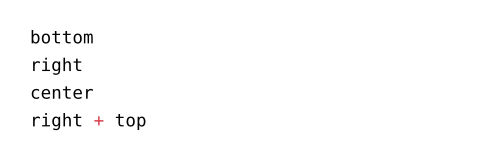
To align along both axes at the same time, add the two alignments using the + operator. For example, top + right aligns the content to the top right corner.
#set page(height: 3cm)
#align(center + bottom)[Hi]

Fields
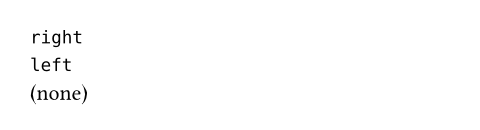
The x and y fields hold the alignment’s horizontal and vertical components, respectively (as yet another alignment). They may be none.
#(top + right).x \
#left.x \
#left.y (none)
常量
startalignment自始可用
Horizontal alignment to the start of the text direction.
 展开示例
展开示例
#set text(dir: ltr)
#align(start, emoji.arrow.r)
#set text(dir: rtl)
#align(start, emoji.arrow.l)

endalignment自始可用
Horizontal alignment to the end of the text direction.
展开示例
#set text(dir: ltr)
#align(end, emoji.arrow.r)
#set text(dir: rtl)
#align(end, emoji.arrow.l)

leftalignment自始可用
Left horizontal alignment.
展开示例
#align(left)[Left]

centeralignment自始可用
Center horizontal alignment.
展开示例
#align(center)[Center]

rightalignment自始可用
Right horizontal alignment.
展开示例
#align(right)[Right]

topalignment自始可用
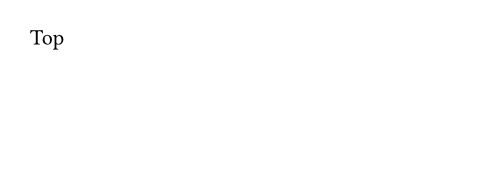
Top vertical alignment.
展开示例
#set page(height: 3cm)
#align(top)[Top]
horizonalignment自始可用
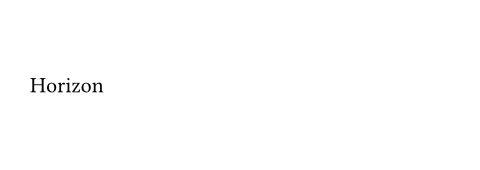
Middle vertical alignment.
展开示例
#set page(height: 3cm)
#align(horizon)[Horizon]
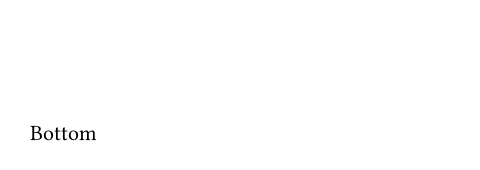
bottomalignment自始可用
Bottom vertical alignment.
展开示例
#set page(height: 3cm)
#align(bottom)[Bottom]
函数
axis0.7.0起可用
The axis this alignment belongs to.
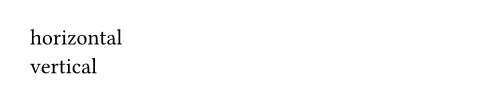
"horizontal"forstart,left,center,right, andend"vertical"fortop,horizon, andbottomnonefor 2-dimensional alignments
展开示例
#left.axis() \
#bottom.axis()
inv0.7.0起可用
The inverse alignment.
展开示例
#top.inv() \
#left.inv() \
#center.inv() \
#(left + bottom).inv()